TradingView trade copiers automate copy trading across multiple accounts and platforms like MT4, MT5, cTrader, and NinjaTrader. These tools use webhooks to convert TradingView alerts into live orders, saving time and reducing errors. They’re ideal for managing multiple accounts, including prop firm portfolios, and often come with features like trade multipliers, risk management, and cloud-based reliability.
Here’s a quick overview of the top trade copiers:
- Duplikium: Cloud-based, ultra-low latency, supports multiple platforms (MT4, MT5, cTrader, etc.), and offers flexible risk tools.
- TradeSyncer: Fast execution under 100ms, centralized risk controls, and supports platforms like NinjaTrader and Quantower.
- Affordable Indicators: Budget-friendly one-time fee, integrates with NinjaTrader, and offers prop firm-specific tools.
- Copygram: Simple webhook setup, supports MT4, MT5, Binance Futures, and offers AI-enhanced risk management.
Quick Comparison:
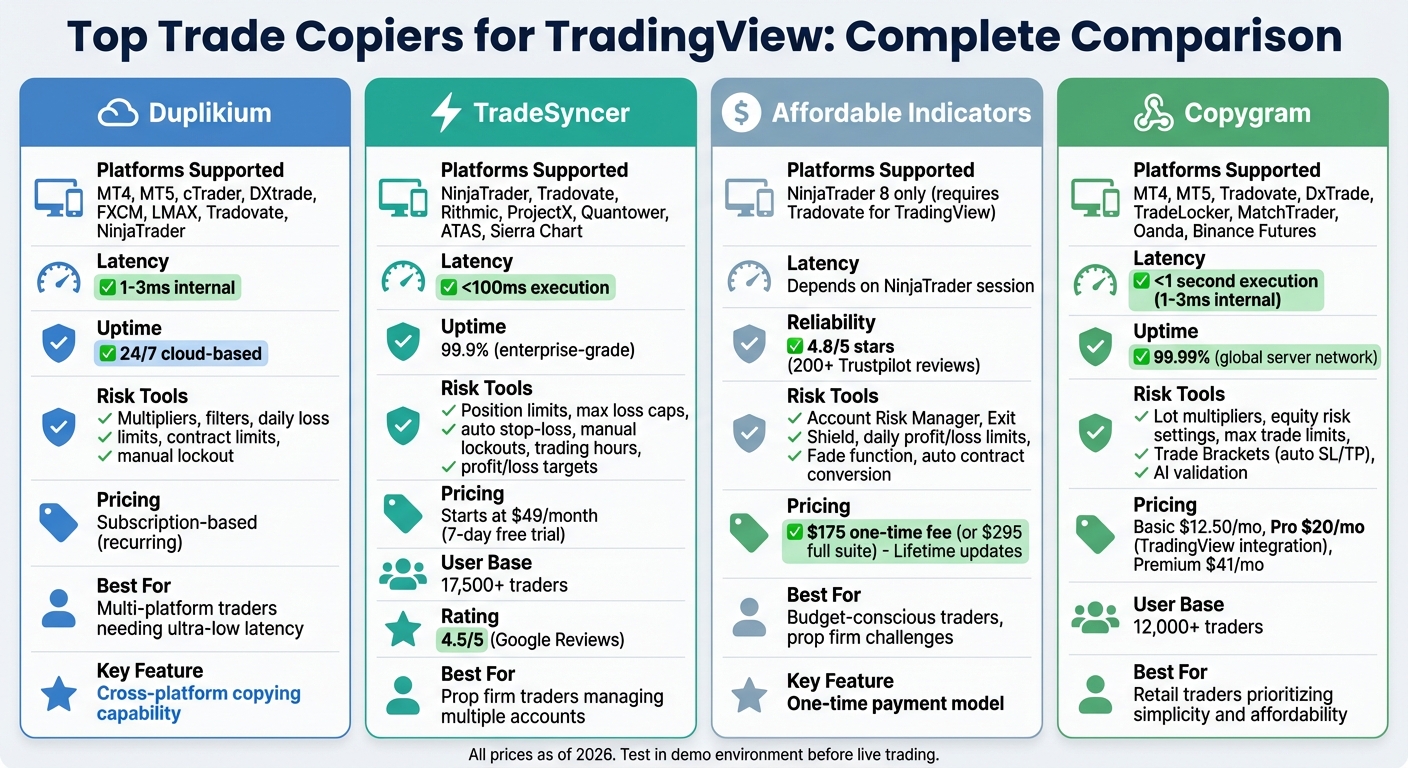
| Feature | Duplikium | TradeSyncer | Affordable Indicators | Copygram |
|---|---|---|---|---|
| Platforms Supported | MT4, MT5, cTrader | NinjaTrader, etc. | NinjaTrader | MT4, MT5, Binance Futures |
| Latency | 1-3ms internal | <100ms | Relies on NinjaTrader | ~1 second |
| Risk Tools | Multipliers, filters | Loss caps, lockouts | Account Risk Manager | AI validation, brackets |
| Cost | Subscription | Starts at $49/mo | $175 one-time | Starts at $12.50/mo |
Choose based on your trading goals, platform compatibility, and budget. Testing in a demo environment is recommended to fine-tune settings.
TradingView Trade Copiers Comparison: Features, Pricing, and Performance
1. Duplikium Trade Copier
TradingView Integration

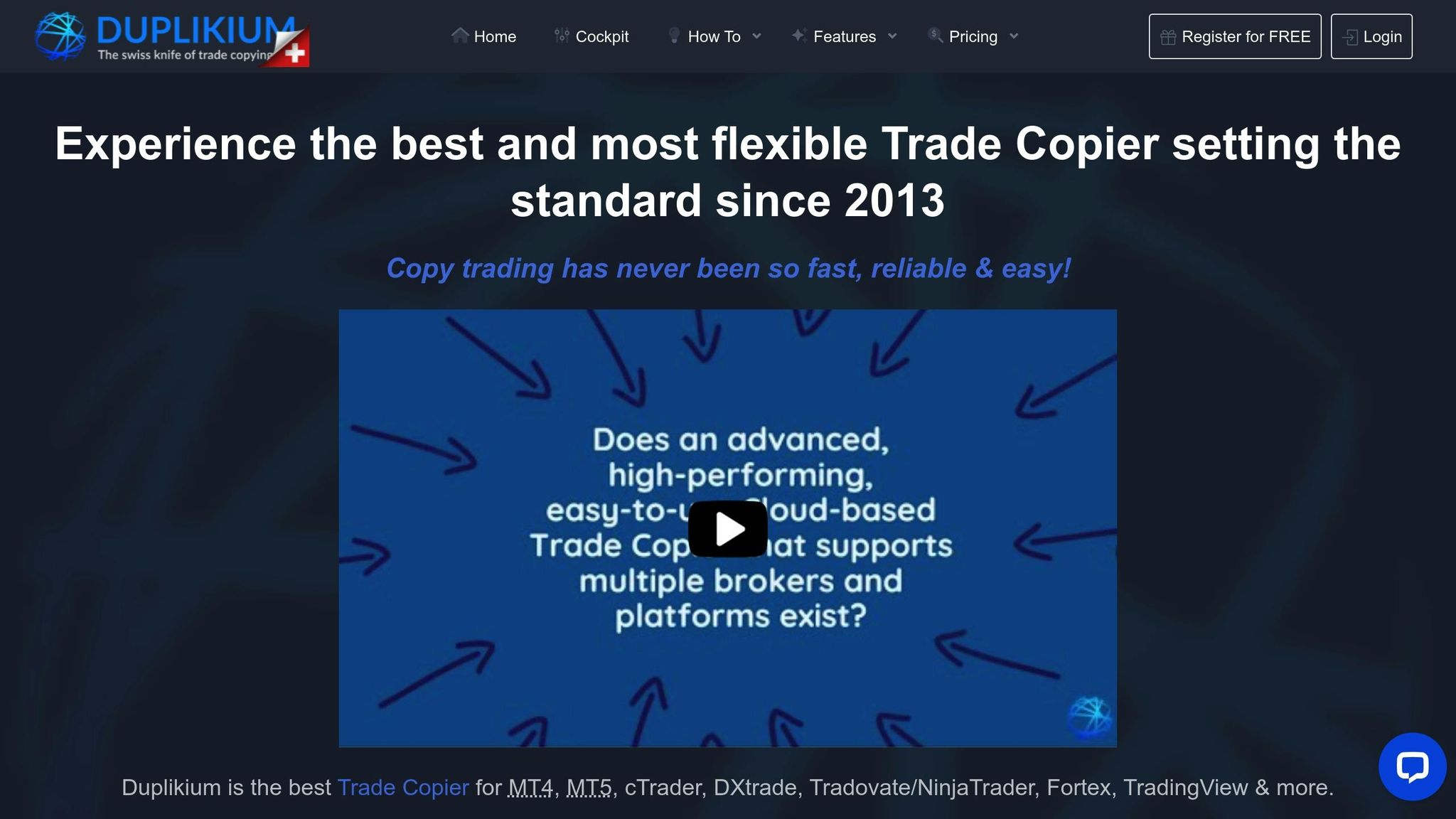
Duplikium serves as a cloud-based bridge, connecting your TradingView account – acting as the "master" – to multiple brokerage accounts, referred to as "followers." It achieves this integration through an API connection or a TradingView bot that captures signals directly from your charts. To enable webhook functionality, you’ll need a paid TradingView subscription. Setting it up is simple: link your master account, connect follower accounts using broker API keys, configure trade multipliers and filters, and test the setup in demo mode. From there, you can take advantage of Duplikium’s ability to seamlessly link with a variety of platforms and brokers.
Supported Platforms and Brokers
Duplikium supports an extensive list of platforms, including MT4, MT5, cTrader, DXtrade, FXCM, LMAX Trading, Tradovate, and NinjaTrader. It’s broker-neutral, meaning it works with any broker that supports these platforms. This flexibility allows it to copy trades across major asset classes such as forex, stocks, indices, cryptocurrencies, commodities, futures, and synthetic indices. What’s even more impressive is its cross-platform copying capability, enabling a signal from a TradingView strategy to be executed simultaneously on accounts using different platforms. This makes it a practical solution for managing multiple accounts simultaneously.
Latency and Reliability
Duplikium prioritizes fast and reliable trade execution by using cloud servers strategically located in London, New York, and Singapore. These servers ensure ultra-low latency and operate 24/7, eliminating the need for a local computer or VPS. If a broker rejects an order, the system automatically retries it as a different order type, such as market or limit. Additionally, Duplikium supports a multi-master setup, allowing signals from multiple TradingView accounts to be merged into a single follower account.
Risk Management Features
Duplikium offers robust risk management tools to help safeguard your trades. You can adjust position multipliers (e.g., copying 1 lot as 0.5 or 2 lots) and automatically attach stop-loss and take-profit orders to trades. Other features include instrument filters, daily loss limits, contract limits, and a manual lockout option for added security. Before going live, it’s essential to confirm the symbol mapping between TradingView and your broker to ensure everything aligns smoothly.
2. TradeSyncer Cloud Trade Copier
TradingView Integration
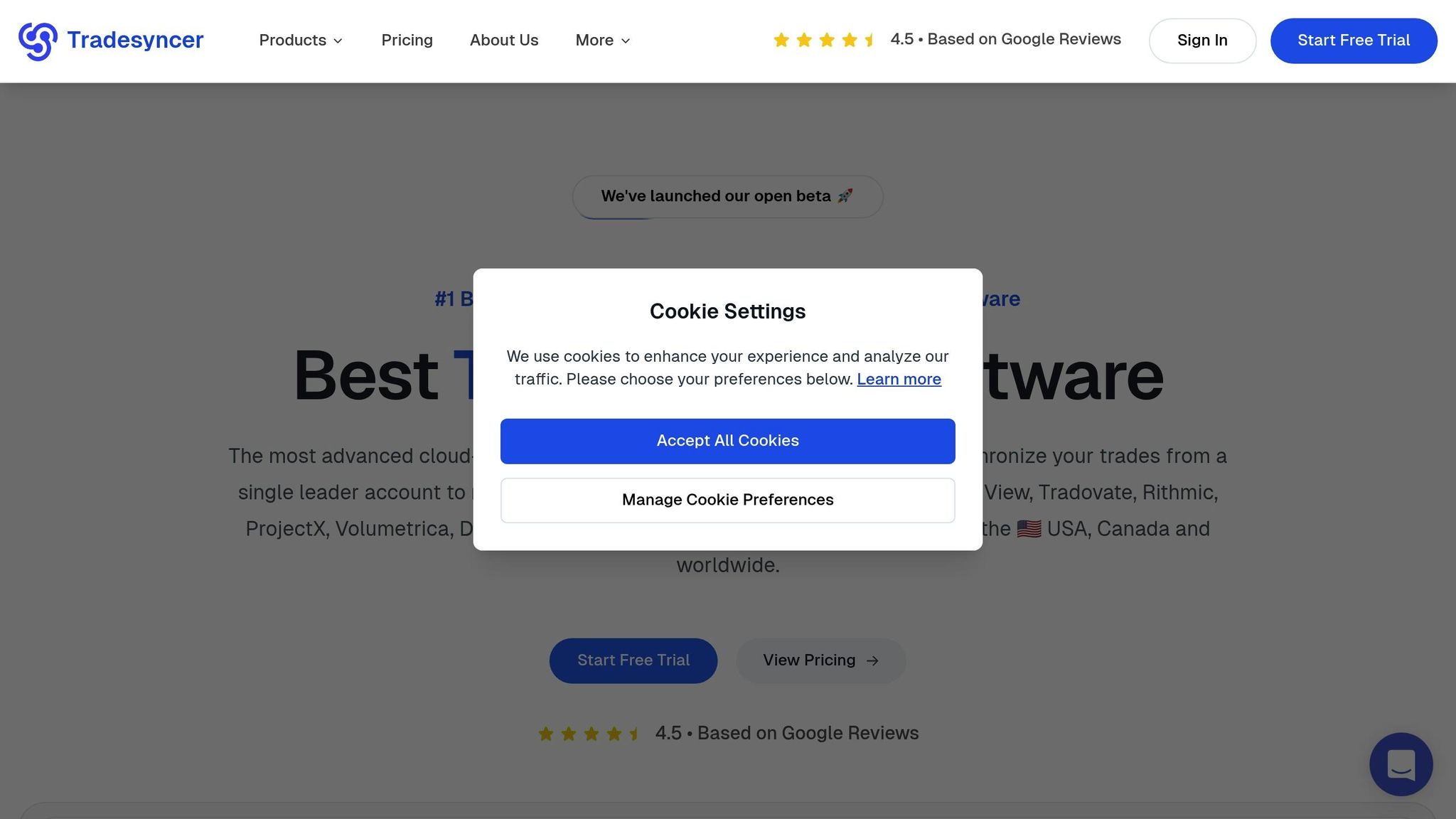
TradeSyncer is a cloud-based trade copier that makes syncing trades across accounts simple. After registering with your email, you’ll follow an easy setup process to connect both your TradingView and broker accounts. Once everything is linked, any trade you place on TradingView is instantly mirrored across all connected follower accounts. Plus, it supports a variety of platforms, giving you more flexibility in how you trade.
Supported Platforms and Brokers
Beyond TradingView, TradeSyncer integrates with several other platforms, including NinjaTrader, Tradovate, Rithmic, ProjectX, Volumetrica, DxFeed, Quantower, ATAS, and Sierra Chart. It’s designed to meet the needs of prop firm traders, making it a go-to tool for those managing multiple accounts. One experienced trader even highlighted how smoothly it integrates with both prop firm and live accounts. This extensive compatibility is paired with low-latency futures execution and dependable performance, which we’ll unpack next.
Latency and Reliability
TradeSyncer doesn’t just offer broad platform support – it’s also built for speed and reliability. Trades are executed in under 100ms, and the platform boasts an impressive 99.9% uptime, thanks to its enterprise-grade cloud infrastructure. Because it runs independently of your computer or VPS, it’s operational 24/7, ensuring you never miss a trade. Trusted by over 17,500 traders worldwide, it holds a 4.5/5 rating on Google Reviews and adheres to strict compliance standards, including GDPR, CCPA, NIS2, and ISO 27002.
Risk Management Features
Speed and reliability are just part of the story – TradeSyncer also emphasizes risk management. It offers automated tools to help you stay in control, such as position limits, maximum loss caps, and automatic stop-loss settings. You can also set manual lockouts, define specific trading hours, and establish daily profit or loss targets to maintain discipline. The platform’s ratio copying feature lets you customize trade sizes, and its cross-order copying allows trades like NQ to be replicated as MNQ, tailoring risks to individual accounts. All of this is managed through a centralized Cockpit module, which gives you real-time control to monitor trades, cancel orders, or adjust follower settings. Pricing starts at $49 per month, and you can try it free for seven days – no credit card required.
3. Affordable Indicators TradingView Trade Copier
TradingView Integration
Affordable Indicators connects TradingView trades through a Tradovate account, using copier software that operates on NinjaTrader 8. To set it up, first link your Tradovate account in TradingView’s trading panel. Then, install the copier software in NinjaTrader 8. Once configured, assign the Tradovate-linked account as the "Master" and other accounts as "Followers." The copier offers two modes for execution: Executions Mode, which places market orders on follower accounts to mirror the master account’s trades, and Orders Mode, which synchronizes pending orders. This setup forms the basis for the platform’s unique integration capabilities, discussed further below.
Supported Platforms and Brokers
The copier software is designed exclusively for NinjaTrader 8, which serves as the desktop platform where the software runs. For TradingView integration, a Tradovate account is required – Rithmic accounts are not supported for this specific function. Additionally, the software supports trades executed directly on NinjaTrader or Tradovate. It includes bracket order management with OCO (One Cancels Other) logic, ensuring stop loss and take profit orders are synchronized. David Koehler highlighted:
when a Master account is selected, the Accounts Dashboard in NinjaTrader corrects syncing issues… ensuring that moves and edits made to orders in TradingView are reflected accurately.
Latency and Reliability
This solution relies on an active NinjaTrader session to execute trades. To minimize disruptions, the software features a "Rejected Order Handling" system. This tool automatically resubmits rejected Stop Market or Stop Limit orders as Market or Limit orders, reducing the risk of missed trades. With more than 200 reviews on Trustpilot and an impressive 4.8/5 star rating, users frequently commend its reliability and performance.
Risk Management Features
For those looking to pass a prop firm challenge, Affordable Indicators provides a range of risk management tools. The Account Risk Manager allows users to set daily profit targets and loss limits, while the Exit Shield restricts changes to stop losses and profit targets, helping traders avoid emotional decisions. The software also monitors essential metrics for prop firms, such as auto-liquidation levels and "amount from funded" status. Additional features include the "Fade" function, which enables traders to take opposite positions on specific follower accounts, and the "Type" column, which automatically converts trades from Mini to Micro contracts for designated accounts.
The copier is available for a one-time fee of $175, or $295 for the full suite, both of which include lifetime updates. These risk management tools, combined with the copier’s core functionality, ensure trades are executed with precision and discipline.
4. Copygram Automation
TradingView Integration
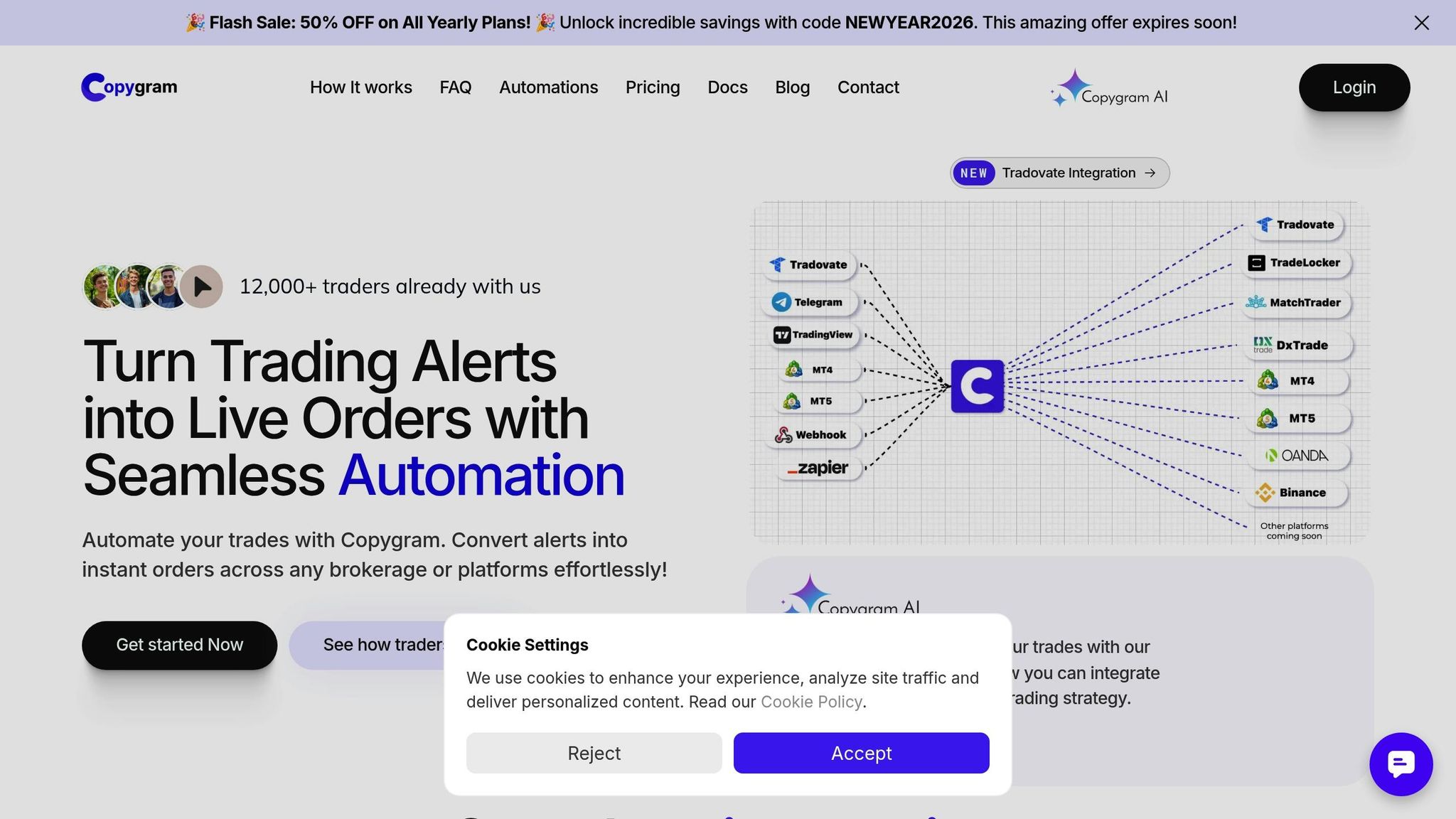
Copygram links TradingView to multiple broker accounts using webhooks, making automation straightforward. To get started, create a Room by connecting your broker accounts via credentials or official APIs. Set TradingView as the Master, then copy the provided webhook URL into your TradingView alerts. Once set up, the Room instantly syncs signals. The platform supports advanced features like pending orders and trade closures. Keep in mind, you’ll need a paid TradingView subscription to access the webhook functionality required for automation.
Supported Platforms and Brokers
Copygram is compatible with MT4, MT5, Tradovate, DxTrade, TradeLocker, MatchTrader, Oanda, and Binance Futures as receiver accounts. MetaTrader users must install an Expert Advisor (EA) for connection, while platforms like Oanda and Tradovate utilize official APIs for smooth data transfers. The service is broker-agnostic for supported platforms, meaning it works with any broker using MT4 or MT5. For prop firm traders managing multiple accounts, such as those with TopStep or Apex Trader Funding, Copygram allows custom trade comments to help avoid detection issues.
Latency and Reliability
Built on enterprise-grade cloud infrastructure, Copygram eliminates the need for a PC or VPS. It ensures low latency execution in under 1 second, with internal processing times as fast as 1–3 milliseconds. The platform ensures 99.99% uptime through automatic failover and a global server network. As of January 2026, Copygram serves over 12,000 traders worldwide. Benjamin Charles, a prop firm trader, shared his experience:
"Everything is copied to all accounts as soon as it’s triggered on TradingView. I can send pending orders and close orders directly from TradingView, which is fantastic."
Risk Management Features
Copygram includes tools like lot multipliers, equity risk settings, and maximum trade limits to help traders manage risk effectively. Its "Trade Brackets" feature automatically attaches stop-loss and take-profit orders, while symbol filters and automated matching reduce the risk of errors. Additionally, AI integration enhances trade validation by using confidence scores and sentiment analysis.
Pricing starts at $12.50/month for the Basic plan (2 accounts), $20/month for the Pro plan (which includes TradingView integration), and $41/month for the Premium plan (5 accounts with unlimited Rooms), all billed annually. These features highlight how Copygram is adapting to meet the needs of modern traders with its advanced risk management tools and automation capabilities.
How I Use a Trade Copier to Trade Multiple Prop Accounts [Full Tutorial]
Pros and Cons
When comparing these trade copiers, each one brings its own strengths and weaknesses to the table:
Duplikium: Known for its ultra-low latency and compatibility with multiple platforms like MT4, MT5, cTrader, and DxTrade, this copier is perfect for managing multiple accounts. The downside? It operates on a recurring subscription model.
TradeSyncer: Boasts lightning-fast execution under 100ms and a 99.9% uptime, making it a favorite among over 17,500 traders globally. It also includes advanced risk management tools, such as daily loss limits and account lockouts. As Josh Merriman shared:
this trade copier is insane. I’ve been trading for 6 years and I’ve never used a copier this smooth it lets me link all my prop firm accounts and my live account, and I can place trades straight from TradingView.
Pricing starts at $49 per month.
Affordable Indicators: Offers a budget-friendly option with a one-time fee, which is great for traders seeking predictable long-term costs. It’s particularly useful for prop firm challenges and funded accounts. However, it has limited platform compatibility compared to cloud-based alternatives.
Copygram: Designed for retail traders who prioritize simplicity. It enables direct execution from TradingView and supports platforms like DxTrade and Tradovate. That said, MetaTrader users may need to go through additional setup steps.
Before committing to any of these tools, it’s always a good idea to test them with a demo account. This allows you to fine-tune settings like multipliers, stop-loss orders, and position sizing.
Conclusion
The comparisons above showcase the strengths of each trade copier across various trading scenarios. The key is to choose one that aligns with your specific trading needs.
For traders looking for a one-time payment and compatibility with platforms like NinjaTrader or TradingView, Affordable Indicators is a strong option. On the other hand, professional trading teams may find Duplikium appealing for its ultra-low latency, while TradeSyncer stands out for its centralized risk management, making it ideal for managing multiple accounts efficiently.
Before committing, it’s smart to test your selected copier in a demo environment. This allows you to confirm that trades are executed at the correct sizes and speeds. Adjusting multipliers to fit your account size and risk tolerance is also crucial. To safeguard your capital during volatile market conditions, enabling features like daily loss limits and exit shields can be a game-changer.
Keep in mind that reliable hosting is just as important as the copier itself. For software-based copiers, the best VPS for copy trading ensures 24/7 connectivity and reduces latency. Cloud-based solutions, on the other hand, eliminate the need for local installations. Opting for enterprise-grade hosting with features like DDoS protection and automated backups can further enhance performance and reliability.
Ultimately, the right trade copier will depend on factors like your trading volume, preferred platform, and priorities – whether that’s speed, cost, or functionality. Choose wisely to ensure efficient and seamless trade execution.
FAQs
How can I use trade copiers with TradingView?
Trade copiers integrate with TradingView by leveraging its alerts and webhook system to automate the process of copying trades. With a Pro or Premium TradingView subscription, you can set up alerts for actions like entries, exits, stop-losses, or take-profits. These alerts are sent as JSON messages to the trade copier’s designated webhook URL. Once received, the copier processes the information and sends the appropriate orders to your connected broker accounts.
To begin, you’ll need to configure alerts in TradingView with a webhook URL, link your broker accounts to the trade copier using API keys or tokens, and set up master-follower relationships for trade replication. Most trade copiers also offer customization options, such as adjusting trade sizes or distributing signals across multiple accounts. When properly configured, trade copiers allow you to replicate strategies across several accounts with minimal delay – often within milliseconds.
What sets the top trade copiers for TradingView apart?
The best trade copiers for TradingView stand out in several key areas, including how they connect, how quickly they execute trades, their pricing, platform compatibility, and extra features. For example, tools like Copygram use advanced webhook integration, while others rely on cloud-based systems or API connections to brokers. Execution speed is another differentiator, with some copiers promoting ultra-low latency for near-instant trade replication.
When it comes to pricing, options range from free plans to subscription models starting at just $4 per month. Compatibility with platforms also varies – some tools are tailored for MT4/MT5 brokers, while others support a wider range of platforms, including those for futures and crypto trading. Many of these copiers also include standout features like risk management dashboards, equity protection, or the ability to copy trades across unlimited accounts. These differences allow traders to pick a copier that aligns with their priorities, whether that’s speed, advanced tools, or affordability.
What factors should I consider when selecting a trade copier for multiple accounts?
When selecting a trade copier to manage multiple accounts, focus on speed and reliability. A copier with low latency – ideally around 20-30 milliseconds or less – ensures trades are mirrored almost instantly, minimizing slippage. Additionally, aim for one with high uptime (e.g., 99.999%) to avoid disruptions during crucial market movements.
It’s also crucial to ensure the copier works seamlessly with your brokers and trading platforms. Look for a clear master-follower setup that allows follower accounts to replicate trades effortlessly, including entries, exits, stop-losses, and take-profits. Features like customizable position sizing and integrated risk management tools (such as equity protection) are vital for managing exposure and adjusting risk levels across accounts effectively.
Lastly, evaluate the copier’s scalability, cost, and user-friendliness. It should handle multiple accounts without hefty price hikes, offer straightforward pricing, and be easy to set up. Reliable customer support and well-organized documentation can make troubleshooting much easier. To boost performance, consider pairing the copier with a reliable VPS, especially for multi-account trading setups.