Quantower is a trading platform that connects to over 60 brokers and supports various asset classes like Forex, Stocks, Futures, and Cryptocurrencies. Its pricing ranges from a free version to an All-in-One license at $70/month, with discounts for annual billing. Key features include advanced volume analysis tools, customizable multi-monitor setups, and a C# API for custom strategies. However, it requires a robust system with at least 16 GB RAM and a quad-core CPU for smooth performance.
For optimal use, high-performance hardware like best trading computer setups is recommended. These PCs, starting at $3,569, are built for low-latency trading with 32–128GB RAM and powerful GPUs. While Quantower excels in multi-broker connectivity and analytics, beginners might find it challenging, and it’s only available for Windows. Pairing it with suitable hardware ensures seamless trading for professionals.
1. Quantower
Pricing Plans
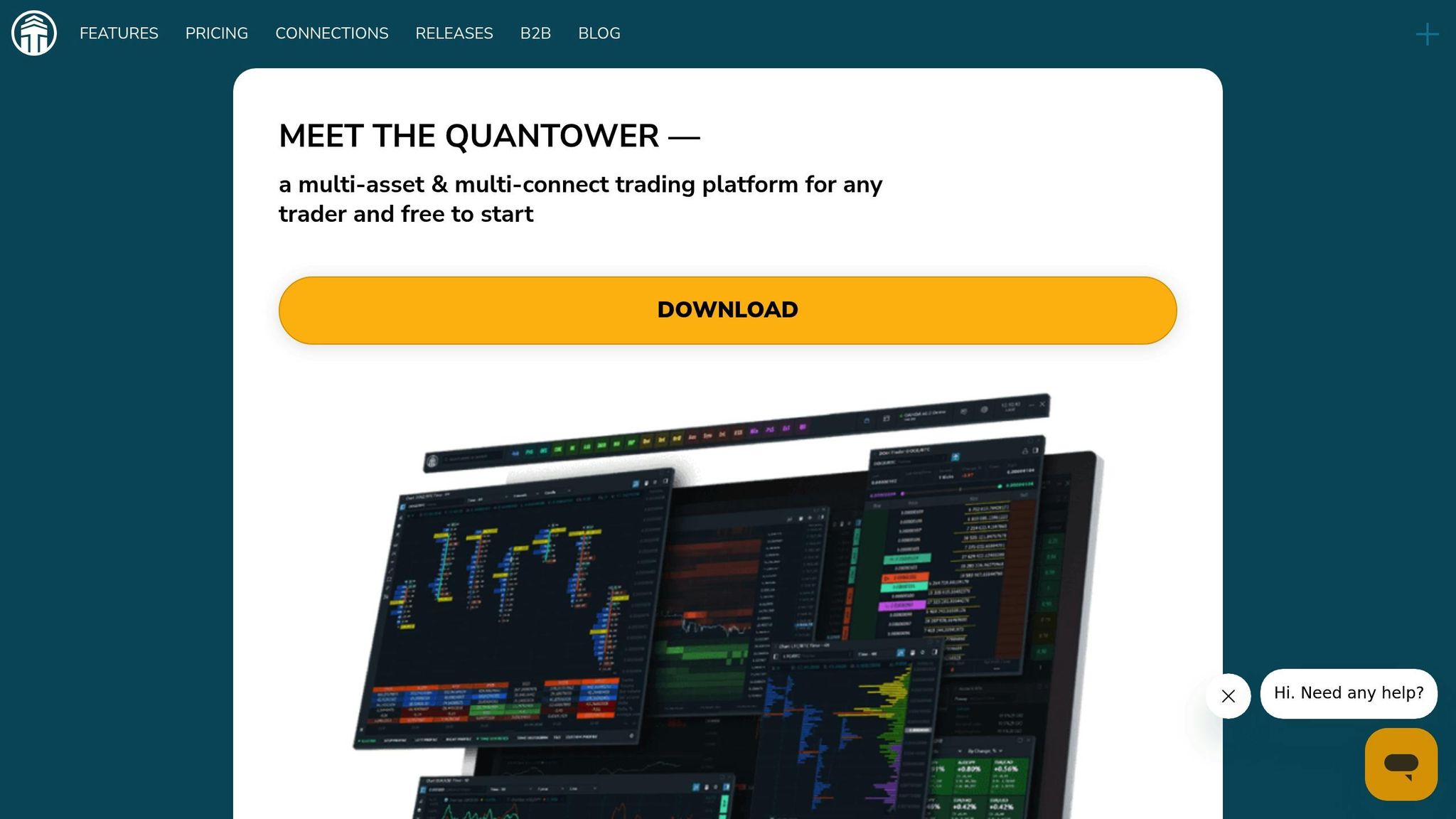
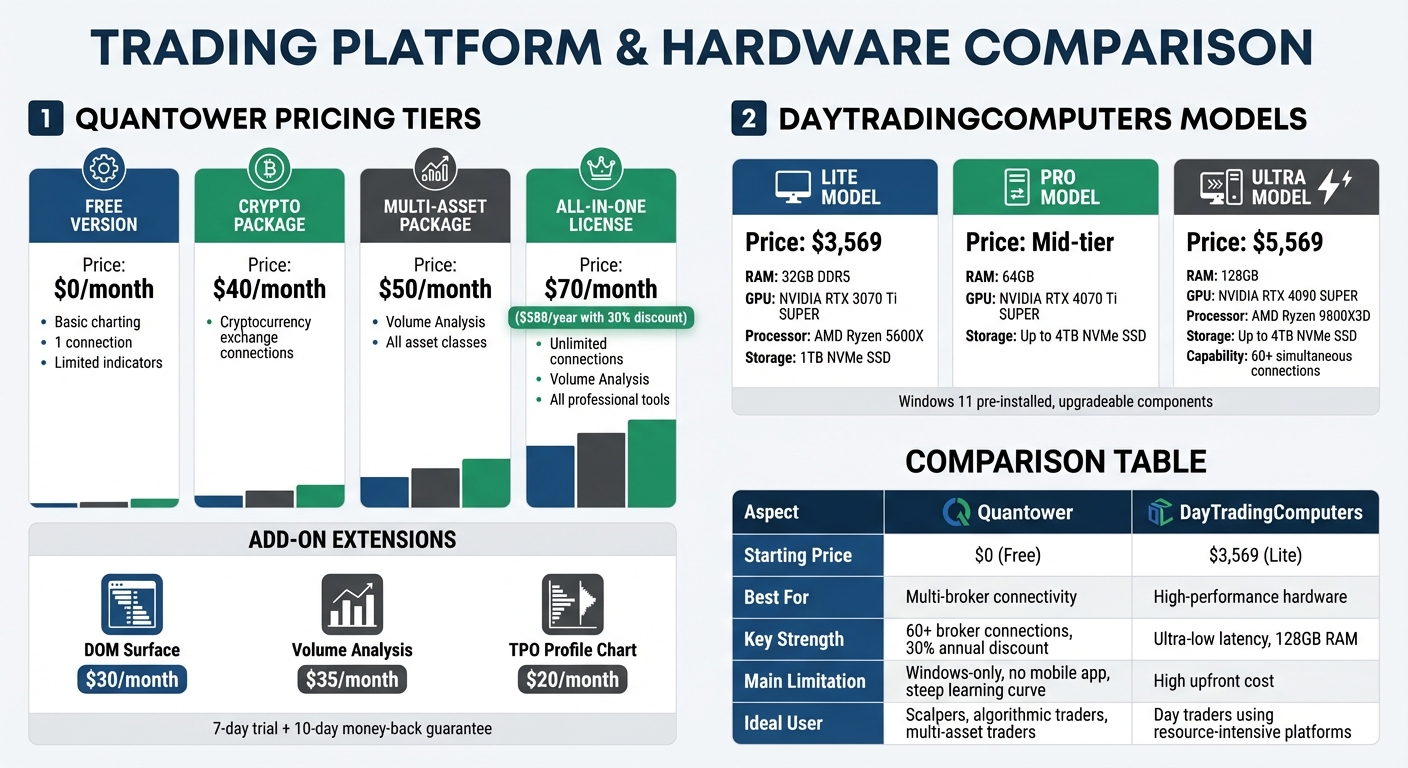
Quantower offers a flexible pricing structure, allowing traders to pay only for the features they need. The Free Version includes basic charting, one connection, and a limited selection of indicators. For those requiring more, the All-in-One License costs $70 per month, providing unlimited connections and access to all professional tools. If billed annually, this plan comes with a 30% discount, reducing the yearly cost from $840 to $588.
For traders targeting specific markets, Quantower provides tailored packages. The Multi-Asset Package costs $50 per month and includes advanced features like Volume Analysis across all asset classes. Meanwhile, the Crypto Package is priced at $40 per month and focuses solely on cryptocurrency exchange connections. Additionally, individual extensions such as DOM Surface ($30/month), Volume Analysis ($35/month), and TPO Profile Chart ($20/month) can be added as needed.
New users can explore the platform risk-free with a 7-day trial that unlocks all features, plus a 10-day money-back guarantee on their initial purchase.
Key Features
Quantower connects to over 60 brokers, cryptocurrency exchanges, and data feeds, allowing traders to analyze and execute trades across multiple markets from a single interface. It boasts an impressive array of tools, including 40+ trading and analytical panels, over 10 chart types, 40+ drawing tools, and 50+ technical indicators. For those focused on order flow, features like Cluster Charts (Footprint), Volume Profile, and the DOM Surface with Heatmap provide clear insights into liquidity and large orders.
The platform’s multi-window design is a standout, enabling traders to organize panels across multiple monitors for a more efficient workflow. For customization, Quantower includes an open C# API, allowing traders to develop their own indicators and automated strategies using Visual Studio.
"The interface, the features, the flexibility, the ease of use are of a class of their own…" – Peter Avgeris
Performance on Hardware
Quantower’s extensive features require a robust system for smooth operation. The recommended hardware includes at least 16 GB of RAM, a quad-core CPU, and an SSD. As traders increase the number of active connections, historical data, and analytical panels, resource usage naturally rises, especially during periods of high market volatility.
The software is portable, meaning it doesn’t modify the system registry or require installation in system folders. You can extract it to a secondary drive or even your Downloads folder, bypassing administrative restrictions. Transferring settings to another device is straightforward – just copy the Settings folder or the entire Quantower directory. Note that the platform runs on Windows 10 or 11 and requires .NET 8.
Suitability for Day Traders
Day traders benefit greatly from Quantower’s focus on real-time data and multi-broker connectivity. Features like Smart Order Routing help minimize slippage by directing orders to the best liquidity sources. Scalpers and high-frequency traders will appreciate the platform’s low-latency execution, especially when paired with high-performance hardware or VPS solutions.
User reviews consistently highlight the platform’s customizable interface and professional-grade volume analysis tools, earning Quantower an average rating of 4.42/5 from 352 reviews on AMP Futures. However, some users have pointed out limitations in the Market Replay and backtesting features. Performance issues may also arise on underpowered hardware or when running the platform on Mac emulators.
"I find it vastly more comfortable and convenient to use than web-based GUI of several different exchanges." – Tyson, Verified User
sbb-itb-24dd98f
2. DayTradingComputers
Key Features
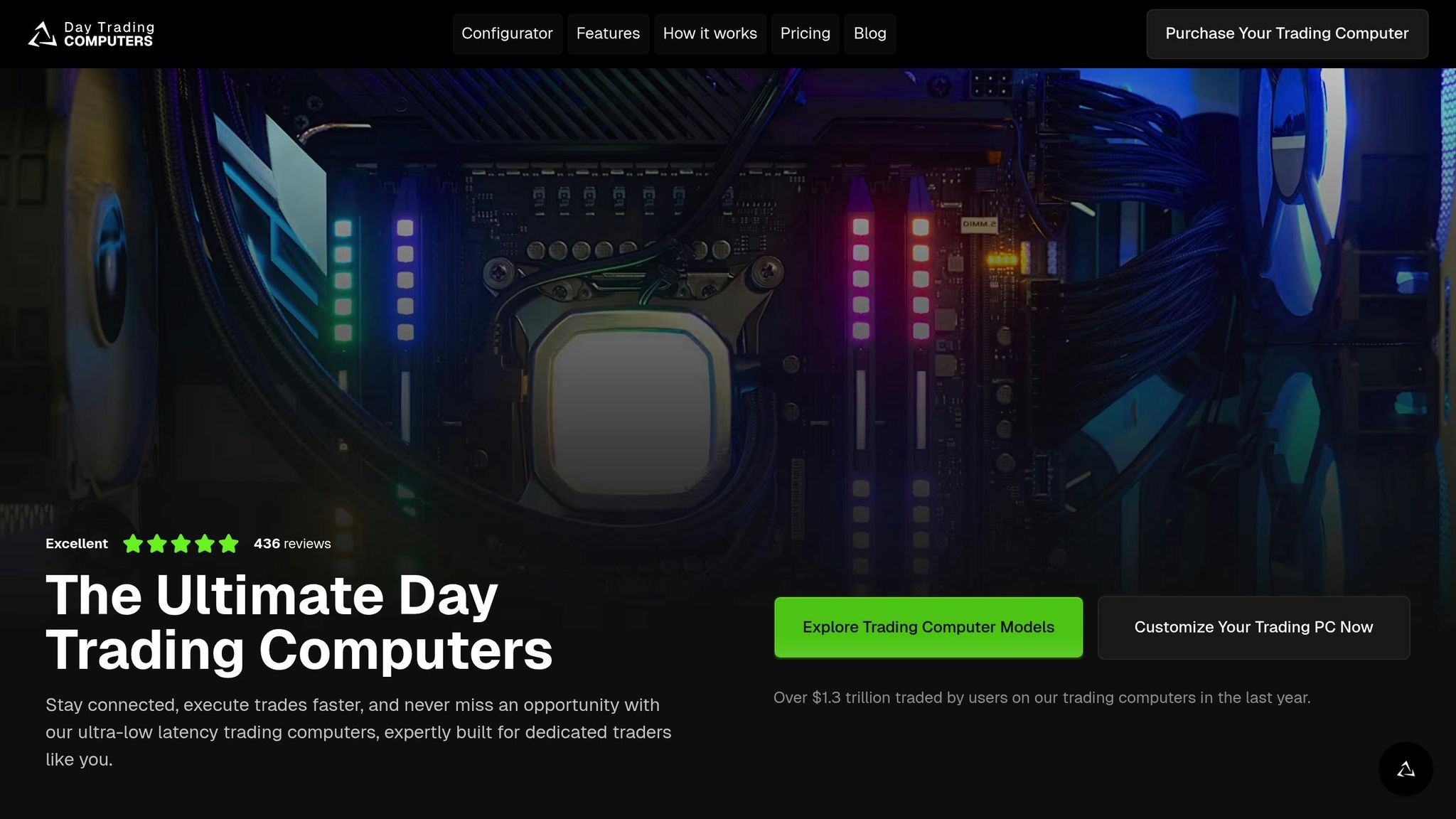
DayTradingComputers designs trading systems specifically tailored to handle resource-heavy platforms like Quantower. Each system comes pre-installed with Windows 11 and is backed by technical support. Plus, the components are upgradeable, making it easy to scale performance as needed.
All models are built to support multi-monitor setups, which is ideal for Quantower’s multi-window functionality. The Lite model starts with 32GB DDR5 RAM and an NVIDIA GeForce RTX 3070 Ti SUPER. The Pro model steps up with 64GB RAM and an RTX 4070 Ti SUPER, while the Ultra configuration boasts 128GB RAM and an RTX 4090 SUPER, making it capable of handling 60+ simultaneous connections and intensive volume analysis. These configurations ensure Quantower’s most demanding features run smoothly.
Performance on Hardware
DayTradingComputers maximizes performance by leveraging Quantower’s portable design. Users can extract Quantower directly onto the included 1TB–4TB NVMe SSDs, providing quick access to historical charts and seamless timeframe navigation.
The systems are powered by AMD Ryzen processors, ranging from the AMD Ryzen 5600X in the Lite model to the AMD Ryzen 9800X3D in the Ultra. These processors deliver the multi-core power needed for Quantower’s real-time data processing. During high-volatility trading sessions, when tools like DOM Surface and Heatmaps are in full use, the combination of high RAM, fast storage, and powerful processors ensures consistent performance.
Suitability for Day Traders
For traders using Quantower, these systems are built to handle the fast-paced world of day trading with ultra-low latency hardware, enabling quick order execution. The multi-monitor support ensures that all critical elements – charts, order entry, DOM, and volume profiles – operate without lag, even under heavy workloads. Scalpers and algorithmic traders working on C# strategies via Visual Studio will appreciate the processing power, which allows for smooth backtesting and live trading without delays or bottlenecks.
Quantower Review – Is This Trading Platform Worth Using?
Quantower is frequently cited among the top trading platforms for day traders due to its modular design and multi-broker support.
Pros and Cons
Quantower Pricing Plans and DayTradingComputers Hardware Comparison
This section breaks down the main benefits and challenges of Quantower and DayTradingComputers, helping you weigh their trade-offs based on your trading needs and budget.
Quantower’s Advantages:
Quantower offers broker-neutral connectivity, supporting over 60 brokers and exchanges. This feature makes it a great choice for traders managing multiple accounts, as it allows seamless integration within a single workspace. The platform’s All-in-One license includes unlimited connections and advanced analysis tools, with a 30% discount available for annual subscribers. For those wanting to test the waters, the free version supports one connection and basic charting, and a 7-day trial unlocks all features for registered users. Paul Holmes from DayTrading.com highlights its strengths:
"Quantower stands out in the competitive world of trading platforms because of its versatility and functionality… Lightning-Fast Execution: Crucial for scalping and day trading strategies".
Quantower’s Limitations:
Quantower can be intimidating for beginners, and it’s only available for Windows. The absence of a mobile app limits flexibility for traders who need to monitor positions on the go. Users have also reported issues with Market Replay, such as glitches when saving custom layouts. Additionally, some important risk management tools, like a daily max loss setting, are missing. Viktor Tachev from Earn2Trade adds:
"Quantower is available only for Windows. A robust system with at least 16GB of RAM and a quad-core processor is recommended for smooth operation".
While Quantower shines in software versatility, DayTradingComputers focuses on delivering the hardware muscle required to fully leverage such platforms.
DayTradingComputers’ Advantages:
DayTradingComputers specializes in high-performance systems tailored for demanding trading platforms like Quantower. Their Lite model starts at $3,569.00, while the Ultra model, priced at $5,569.00, features top-tier configurations. All systems come with Windows 11 pre-installed, support for multiple monitors, and upgradeable components. Storage options range from 1TB to 4TB NVMe SSDs, ensuring quick access to charts during volatile trading sessions.
DayTradingComputers’ Limitations:
The high upfront cost can be a barrier, especially for new traders or those experimenting with Quantower’s free version. The Lite model’s $3,569.00 price tag may feel steep compared to standard consumer PCs. While the systems are upgradeable, adding components like RAM or storage later will increase the overall cost. These machines are designed specifically for intensive trading, which may not appeal to casual or early-stage traders due to their premium pricing.
| Aspect | Quantower | DayTradingComputers |
|---|---|---|
| Starting Price | $0 (Free version) | $3,569.00 (Lite model) |
| Best For | Multi-broker connectivity and advanced analysis | High-performance hardware for resource-heavy trading |
| Key Strength | 60+ broker connections and a 30% annual discount | Ultra-low latency, 128GB RAM (Ultra model) |
| Main Limitation | Challenging for beginners, Windows-only, no mobile app | High upfront cost, designed solely for trading |
| Ideal User | Scalpers, algorithmic traders, multi-asset traders | Day traders using resource-intensive platforms |
Conclusion
Pairing Quantower’s feature-rich platform with DayTradingComputers’ high-performance hardware creates a powerful toolkit for professional traders. Quantower stands out with its broker-neutral connectivity to over 60 providers, advanced volume analysis tools, and a customizable C# API for algorithmic strategies. Its professional licensing unlocks unlimited connections and advanced features like the DOM Surface and TPO Charts, making it a versatile choice for traders across various markets. On the hardware side, DayTradingComputers provides the speed and stability needed to handle Quantower’s data-heavy operations, even during high-volatility periods.
This combination is particularly advantageous for scalpers and order flow traders. Quantower’s DOM Surface (Heatmap) and Cluster Charts offer real-time liquidity insights across multiple screens, while DayTradingComputers’ systems ensure the rapid execution essential for these fast-paced strategies. For algorithmic traders, the Pro and Ultra models support advanced API integrations and backtesting tools, running seamlessly on systems equipped with multi-core processors and ample RAM. This setup reduces simulation times for complex automated strategies, streamlining the development process.
Traders starting with Quantower’s free version or Crypto Package can begin with entry-level hardware configurations. As they progress to more comprehensive licensing and advanced trading needs, upgrading to more robust systems becomes a logical step. For multi-asset professionals managing diverse portfolios, Quantower’s workspace linking feature syncs charts and order books across multiple monitors, requiring hardware capable of supporting high-performance multi-monitor setups. This ensures smooth operations across Forex, Futures, Options, and Crypto exchanges.
The 7-day trial of Quantower’s full feature set provides an excellent opportunity to evaluate whether your current hardware can handle the platform’s 40+ analytical panels. If not, upgrading to a trading computer tailored for Quantower’s demands might be the key to optimizing your trading setup. Whether you’re focused on high-frequency scalping, algorithmic execution, or multi-market analysis, aligning the right software with the right hardware is critical for success in today’s markets.
FAQs
What features are included with Quantower’s All-in-One license?
The All-in-One license unlocks every feature Quantower has to offer. This includes advanced chart types, the ability to add unlimited chart overlays, connect to multiple brokers and data providers, create spreads and synthetic symbols, and even run trading simulations. Plus, you’ll get access to all current and future platform updates.
However, it’s important to note that fees for third-party market data aren’t covered by this license. Be sure to consider those additional costs based on your specific trading setup.
Can Quantower connect to multiple brokers at the same time?
Quantower lets traders link up with multiple brokers and data providers at the same time. This means you can compare market data side by side, build synthetic symbols, and place trades across various brokers or exchanges in real time. It’s an excellent way to handle different trading strategies seamlessly while keeping everything in sync across platforms.
What are the recommended hardware requirements for running Quantower efficiently?
Quantower doesn’t specify hardware requirements in its official documentation or installation guide. Details about processor speed, memory (RAM), storage, or graphics capabilities are not provided.
However, for optimal performance – especially in demanding trading environments – it’s a good idea to use a computer with a modern multi-core processor, at least 16GB of RAM, and a solid-state drive (SSD) for quicker data access. If you’re looking for more tailored hardware advice, reaching out to Quantower’s support team or checking their official resources would be your best bet.